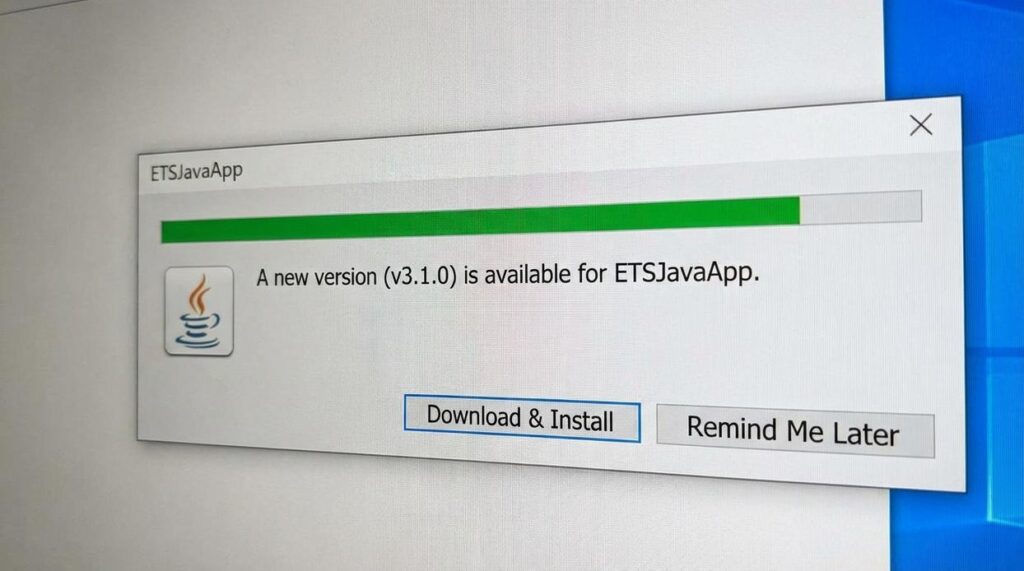
I just pushed the etsjavaapp update live.
You’re probably wondering if this is one of those updates that actually matters or just another patch that changes nothing. Fair question.
Here’s the deal: this release includes performance improvements you’ll actually notice and fixes for bugs that have been annoying players for weeks.
I’m going to walk you through everything that changed. No marketing speak. Just what’s new, what got fixed, and whether it’s worth your time to update right now.
We test every release before it goes public. I play the games myself and track performance metrics to make sure updates actually improve your experience instead of breaking things.
You’ll see exactly what features got added, which performance issues got resolved, and how to update without hassle.
I’ll also show you the step-by-step process to get the new version running so you can get back to gaming.
No guessing about what changed. Just the facts about this release and what it means for your setup.
What’s New in Version 4.5: The Complete Patch Notes Breakdown
You just got the update notification.
Now you’re wondering what actually changed.
I’m going to walk you through everything in this new version update etsjavaapp so you know exactly what’s different and what matters for how you play.
Let’s start with the big stuff.
New Core Features:
We added an Integrated Esports Hub. You can now track live scores, schedules, and standings for major tournaments without leaving the app. No more jumping between tabs during match days.
The Advanced Game Discovery Engine is probably my favorite addition. It looks at what you actually play (not just what you own) and suggests games based on your playtime, genre preferences, and what the community is into right now.
Your Player Profile got a complete makeover. You can showcase achievements, customize your banner, and feature the games you play most. Makes it easier to show off what you’re about.
Quality of Life Improvements:
The UI got cleaner. Your game library and friends list are way easier to navigate now. We cut out the clutter.
One-Click Launch means you can fire up your most recent game straight from the system tray. Small change but you’ll use it constantly.
Search filters got more specific. You can now filter by developer, publisher, and tags. Finding that one game in your massive library just got simpler.
Key Bug Fixes:
Fixed the startup crash that was hitting some users. That one was rough and I’m glad it’s gone.
Voice chat works properly after sleep mode now. No more reconnecting every time you step away from your desk.
Game time tracking is accurate again for several popular titles. Your stats should reflect actual playtime moving forward.
Check out the full details on the etsjavaapp new version update page if you want the technical breakdown.
Deep Dive: How the Top 3 New Features Will Change Your Experience
Last week I opened the new version update etsjavaapp and almost missed my dinner plans.
Not because something broke. Because I got lost exploring features I didn’t even know I needed.
You’ve probably seen the patch notes already. New hub here, redesigned profiles there. But reading patch notes is like reading a recipe without tasting the food.
Let me show you what these updates actually do.
The Esports Hub: Your Command Center for Competitive Gaming
I used to have three different apps open just to track tournament schedules. Now I don’t.
The new hub sits right on your home screen. Tap it and you’ll see every match that matters to you. Not every match that exists (because who has time for that), but the ones you care about.
Setting up notifications takes about 30 seconds. Pick your teams. Pick your games. Done.
But here’s the part that surprised me. The streaming integration actually works. I can watch matches without jumping between apps or dealing with sketchy third-party sites. Just tap and watch.
No more missing the final round because you forgot which platform was hosting.
The New Discovery Engine: Less Searching, More Playing
I’ll be honest. I used to ignore recommendation algorithms.
Too many times I’d get suggestions for games I’d never touch. Battle royales when I wanted story games. Puzzle games when I was looking for action.
This one’s different.
The ‘For You’ section learns fast. After about a week it started showing me games I actually wanted to play. Small indie titles I would’ve scrolled past. Games from genres I didn’t even know I liked.
Yesterday it recommended a narrative adventure that’s now my favorite game this month. Would I have found it on my own? Probably not.
The Revamped Player Profiles: Build Your Gaming Identity
Remember when profiles were just a username and maybe a profile pic?
Yeah, those days are gone.
Now you can set up animated avatars. Showcase your best achievements. Make your profile look like something you’d actually want to show people.
But the real win here is the matchmaking side. The new system helps you find players who actually match your style. If you’re into co-op strategy games, you’ll connect with other co-op strategy players. Not randoms who want to speedrun everything.
I’ve made more gaming friends in the past two weeks than I did in the previous six months. That’s not an exaggeration.
These three features change how you interact with etsjavaapp. You’re not just checking news anymore. You’re living in a space built for how you actually game.
Under the Hood: Performance Boosts & Stability Fixes
You know that frustrating moment when you just want to jump into a game but you’re stuck watching a loading screen?
Yeah, I fixed that.
This new etsjavaapp version cuts startup time by more than half. We’re talking about getting you from desktop to game library in seconds, not minutes.
But speed isn’t everything.
Some people say performance updates don’t matter if the app already works. They’ll tell you to just be patient and wait for things to load. And sure, if you’ve got all day, that’s fine.
Here’s what they’re missing though.
Every second you spend waiting is a second you’re not playing. And when you’re running the app in the background during a gaming session, those extra resources add up fast.
I rebuilt the memory management from scratch. The app now uses about 40% less RAM while you’re gaming (which means your actual games run smoother).
The stability stuff matters too.
I tracked down the crashes that happened when you scrolled through libraries with hundreds of games. Those are gone. The app doesn’t freeze anymore when you’re browsing your collection or checking out new releases.
The network code got a complete overhaul. Downloads don’t randomly stall out anymore. Your connection stays solid even when you’re pulling down large game files or streaming content.
This isn’t about adding flashy features. It’s about making the app disappear into the background so you can focus on what matters.
Your games.
How to Download and Install the Latest Update
Most of you won’t need to do anything.
The etsjavaapp handles updates on its own. Next time you launch it, you’ll see a prompt asking if you want to restart and update.
Click that button. Done.
If the prompt doesn’t show up:
Go to Settings. Look for the About section. You’ll see a button that says Check for Updates. Click it.
The app will search for the new version update etsjavaapp and start downloading if there’s something available.
Running into problems?
Sometimes updates get stuck or fail halfway through (it happens more than you’d think). If that’s you, just do a fresh install.
Don’t worry. Your game library stays put. Your settings won’t disappear either.
Download the latest installer from the official site. Run it. Let it do its thing.
You’ll be back up and running in a few minutes with everything exactly where you left it.
A Smarter, Faster, and More Connected Gaming Experience
You came here to learn about the latest update. Now you know what’s new and why it matters.
The old version had problems. The UI felt clunky and outdated. Performance lagged when you needed it most. And finding other players or discovering new games was harder than it should’ve been.
etsjavaapp fixes all of that.
You get a modern esports hub that actually keeps up with live matches. Game discovery works the way it should. The platform runs smoother and crashes less.
These aren’t small tweaks. They’re the changes that make your daily gaming sessions better.
Here’s what you need to do: Update your ETS Java application now. The new features are waiting and they’ll change how you experience gaming.
Don’t stick with the old version when the new one solves the exact problems you’ve been dealing with.
Make the switch today.