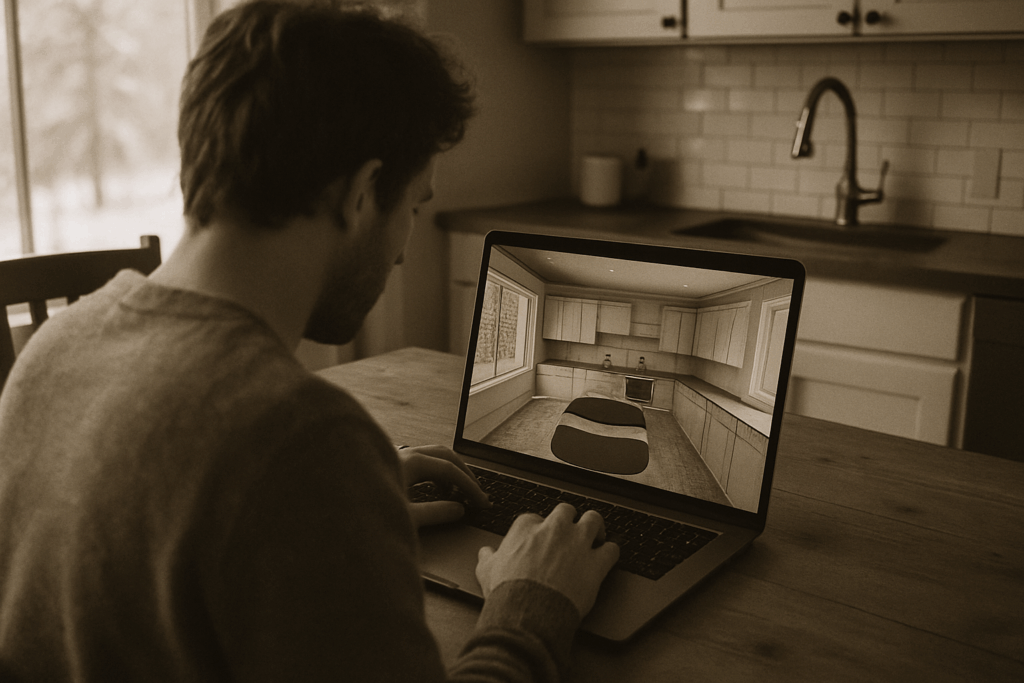
What Real Time Rendering Actually Means
At its core, rendering is the process of turning 3D data models, lighting, materials into 2D images that we see on a screen. It’s what takes raw geometry and code and makes it visual. Every time you see a shiny car in a racing game or a believable face in an animated film, rendering made it happen.
There are two main camps: real time and pre rendered. Pre rendered takes its sweet time, churning out frames over minutes or hours (used in movies, cinematics, or architectural viz). Everything is polished, but frozen in time. Real time, on the other hand, has to deliver frames fast ideally 30 to 60 times per second. Your gamepad movement, your mouse click, even your head tilt in VR real time rendering processes it all and updates the image almost instantly. Speed isn’t just a perk, it’s the whole deal.
This is why real time rendering is everywhere in interactive media. Games are the obvious case. But it also powers immersive simulations, AR assisted surgeries, and training apps where input and feedback happen in milliseconds. Real time rendering keeps the loop between action and outcome incredibly tight and that’s what makes modern digital experiences feel responsive, alive, and human.
How Real Time Rendering Works
At the core of real time rendering is the graphics pipeline a series of steps that turn 3D data into pixels on your screen, fast enough to feel instant. It starts with vertex processing. Here, vertices (points in 3D space) get transformed from model space into screen space, applying camera angles and effects like animation or skeletals. From there, it moves to rasterization, where triangles are turned into fragments basically potential pixels.
Then comes fragment shading. That’s where lighting models, textures, and material properties get applied, all calculated per pixel. It’s how glass looks shiny, metal reflects light, or skin shows subtle color variation. This is all happening in real time, which means the GPU the muscle behind this operation is working overtime every frame.
Key players? Definitely the GPU, which crunches through vertex and fragment shaders. Shaders are small programs written to run on the GPU that define how geometry is drawn and how surfaces get colored.
Now, frame rate and latency this is where experience lives or dies. 60 frames per second (FPS) has become the gold standard because it strikes a solid balance between performance and visual smoothness. At 60 FPS, every frame has about 16.67 milliseconds to go through the entire pipeline. Go lower, and movement starts to feel choppy. Go higher 120 FPS, say and you get fluid animation and tighter player control, but it demands serious optimization.
Latency is how fast your interaction translates into visual feedback. High latency kills immersion. That forces developers to fine tune every stage of the graphics pipeline. Because when you’re rendering worlds in real time, every millisecond counts.
Major Tools and Engines in 2026
If you’re diving into real time rendering, your tools matter. Unreal Engine 5.4+ sits at the top for cinematic visuals high fidelity, Lumen for global illumination, and Nanite for detailed assets without tanking performance. It’s heavy, yes, but if you want AAA results or push into virtual production, it’s the benchmark.
Unity LTS 2025? A solid, flexible option. Unity doesn’t win the graphics war, but it crushes it in terms of versatility. Mobile, AR, indie games it gets there fast, and the LTS version provides stability while you’re building long term. Devs love its asset ecosystem and quick iteration times.
Godot’s the underdog: open source, lightweight, and increasingly powerful. No licensing fees, full control of the engine, and strong 2D capabilities. Godot 4 is growing into its 3D shoes, but the community is what makes it shine. If you want to tinker or even modify engine internals, Godot won’t stop you.
CryEngine is still around, mostly for devs who need raw power and don’t mind a steeper curve. It delivers stunning visuals, especially in lighting and vegetation simulation, but has fewer updates and a smaller community.
Choosing between open source and closed source matters. Closed source engines (Unreal, Unity) offer polish and support with strings attached. Licensing fees, limited modification. Open source (Godot) flips that: freedom, customization, but more DIY and fewer guardrails.
On the browser side, WebGPU is changing the game. It replaces WebGL for deeper GPU access and native like rendering in your browser modern, fast, and less hacky. Babylon.js builds on this with a friendlier layer, perfect for devs building 3D experiences directly online. Think training tools, product demos, or lightweight games no install needed.
Where you land depends on what you’re building, but 2026 is full of good choices as long as you know what you need.
Optimization: More Than Just Pretty Graphics

Real time rendering isn’t just about achieving visually stunning results it’s also about keeping your application responsive, immersive, and efficient. Optimization plays a critical role in ensuring that performance holds up under pressure without sacrificing quality or player experience.
Key Optimization Techniques
Level of Detail (LOD) Management
Level of detail (LOD) techniques allow you to render simpler versions of objects when they are far from the camera. This saves processing power without noticeably affecting visual quality.
Display low poly models at a distance
Swap to high detail assets only when necessary
Reduces vertex and texture overhead
Occlusion Culling
Why render what the player can’t see? Occlusion culling ensures that only visible objects are processed and drawn on screen.
Prevents rendering of objects obscured by others
Significantly reduces GPU load in complex environments
Often handled automatically by modern engines, but understanding the concept helps with manual optimizations
Texture Streaming
Large textures are memory intensive. Streaming them intelligently helps balance performance and fidelity.
Loads texture data at different resolutions based on camera proximity and priority
Frees up memory and reduces load times
Common in open world games and large environments
Why Optimization Affects More Than Frame Rates
Efficient rendering isn’t just about hitting 60 frames per second. It directly impacts how gameplay feels and how immersed the player becomes.
Smooth gameplay builds player trust and flow
Stable performance prevents input delays, screen tearing, or crashing
Consistent visual feedback helps with clarity in fast paced scenarios
Want to Dive Deeper?
Graphics will always matter but game feel often matters more. Learn how smart optimization shapes the player’s emotional journey, even when visual fidelity isn’t maxed out:
Why Game Mechanics Matter More Than Graphics
In real time development, thoughtful optimization enhances storytelling, supports mechanics, and ultimately delivers a better interactive experience.
Real Time Rendering Beyond Games
Real time rendering has slipped the leash of gaming and is charging into industries that once relied on static models or post processed visuals. Car manufacturers now rely on engines like Unreal to showcase vehicle prototypes long before any metal is bent. Architects use real time tools for interactive walkthroughs, lighting tests, and even pitch presentations no waiting on final renders. And in film and TV, virtual production teams are shaping entire scenes live on LED walls, blending physical and digital in studio, on the spot.
In aerospace and medical fields, real time rendering is powering training simulations that feel real enough to matter. Pilots rehearse maneuvers in VR with milliseconds of latency. Surgeons use anatomical digital twins to prep for complex procedures. It’s not sci fi it’s real tech, solving real problems.
What ties all of this together? Developers who can think beyond games. Those once building RPG mechanics are now developing immersive car configurators or real time floor planning tools. Skills honed in rendering pipelines, shader logic, and optimization are crossing borders fast. If you’re a dev today, odds are your next role might have nothing to do with games but everything to do with real time.
Starting Points for Aspiring Developers
If you’re serious about getting into real time rendering, there are a few solid paths game development, 3D programming, and technical art. Each one leans into different strengths. Game dev’s all about player experience and gameplay logic. 3D programming focuses on the systems that bring visuals to life. Technical art bridges the artistic side with the nuts and bolts of implementation. All three are in demand, and there’s plenty of room to carve your own lane.
No matter which route you take, the core skills are the same. You need to be comfortable with C++ it’s the lingua franca of performance in this space. Math matters, especially linear algebra. You’ll use it daily for things like transformations, lighting, and camera logic. Understanding how GPUs work under the hood isn’t optional, and you’ll want to get hands on with shader languages like HLSL, GLSL, or Metal. Shading isn’t just about making stuff look nice it’s how you get real time magic to happen fast enough to matter.
On the learning front, there’s no shortage of resources, but only some are worth the deep dive. Free options like The Cherno’s C++ series on YouTube, the LearnOpenGL site, or Unity’s and Unreal’s docs are excellent starting points. If you’re willing to pay, Coursera’s Interactive Computer Graphics course or CGMA’s real time rendering tracks are well structured and industry informed. Don’t sleep on community forums like StackOverflow or the Real Time VFX Discord either they’re gold mines for solving real problems.
Bottom line: it’s not about mastering everything overnight. Pick your lane, build foundational knowledge, and stay steady. The field moves fast, but if you can stay nimble, you’ll keep up and maybe even lead.
Where It’s Headed
Real time ray tracing isn’t the distant future anymore it’s here, and it’s showing up in everyday development pipelines. What used to be locked behind $2,500 GPUs and bleeding edge demos is now integrated directly into major engines like Unreal and Unity with hardware support from even mid tier graphics cards. The result: devs can finally combine accurate light simulation with frame rates that don’t tank immersion.
And then there’s neural rendering. AI driven lighting, upscaling, and even procedural content generation are pushing performance ceilings higher while reducing manual drudge work. Think smarter light bounces, believable shadows, and more realistic character movement all enhanced by trained models that keep getting better over time. It’s not magic, but it’s not far off.
With all this horsepower, flexibility is non negotiable. The fastest way to fall behind is locking yourself into a single pipeline or tech stack. APIs evolve, standards change, and what runs great on PC today might be outdated by next year’s mobile chip. Developers need to keep their tools sharp, their workflows modular, and their curiosity in play.
The takeaway: the real time future is bright literally and figuratively. But creators who succeed will be the ones ready to pivot, adapt, and ride the next wave without getting stuck on the last one.

 Harold Ashertine has opinions about player tips and strategies. Informed ones, backed by real experience — but opinions nonetheless, and they doesn't try to disguise them as neutral observation. They thinks a lot of what gets written about Player Tips and Strategies, Esports Highlights, Latest Gaming News is either too cautious to be useful or too confident to be credible, and they's work tends to sit deliberately in the space between those two failure modes.
Reading Harold's pieces, you get the sense of someone who has thought about this stuff seriously and arrived at actual conclusions — not just collected a range of perspectives and declined to pick one. That can be uncomfortable when they lands on something you disagree with. It's also why the writing is worth engaging with. Harold isn't interested in telling people what they want to hear. They is interested in telling them what they actually thinks, with enough reasoning behind it that you can push back if you want to. That kind of intellectual honesty is rarer than it should be.
What Harold is best at is the moment when a familiar topic reveals something unexpected — when the conventional wisdom turns out to be slightly off, or when a small shift in framing changes everything. They finds those moments consistently, which is why they's work tends to generate real discussion rather than just passive agreement.
Harold Ashertine has opinions about player tips and strategies. Informed ones, backed by real experience — but opinions nonetheless, and they doesn't try to disguise them as neutral observation. They thinks a lot of what gets written about Player Tips and Strategies, Esports Highlights, Latest Gaming News is either too cautious to be useful or too confident to be credible, and they's work tends to sit deliberately in the space between those two failure modes.
Reading Harold's pieces, you get the sense of someone who has thought about this stuff seriously and arrived at actual conclusions — not just collected a range of perspectives and declined to pick one. That can be uncomfortable when they lands on something you disagree with. It's also why the writing is worth engaging with. Harold isn't interested in telling people what they want to hear. They is interested in telling them what they actually thinks, with enough reasoning behind it that you can push back if you want to. That kind of intellectual honesty is rarer than it should be.
What Harold is best at is the moment when a familiar topic reveals something unexpected — when the conventional wisdom turns out to be slightly off, or when a small shift in framing changes everything. They finds those moments consistently, which is why they's work tends to generate real discussion rather than just passive agreement.